Teacher
Me
Friends
Please follow the steps.
*This course is not available on iPad and tablets. Please make sure to use Chrome browser on your computer.
Download Chrome Browser
1Your Name
2Class Code
Click the Join button!

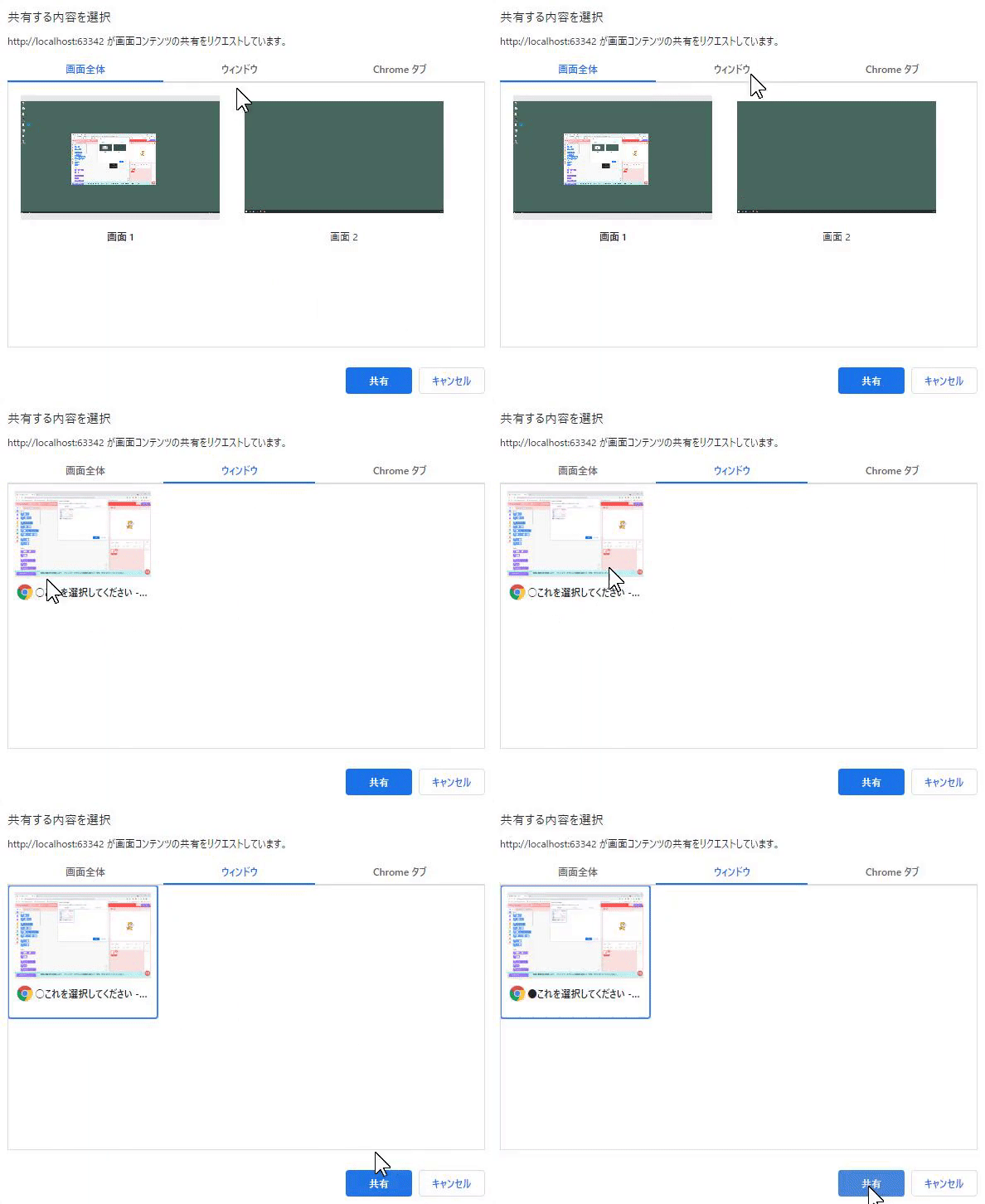
Start screen sharing with the teacher. From the "Window" tab, select this screen and click the "Share" button.
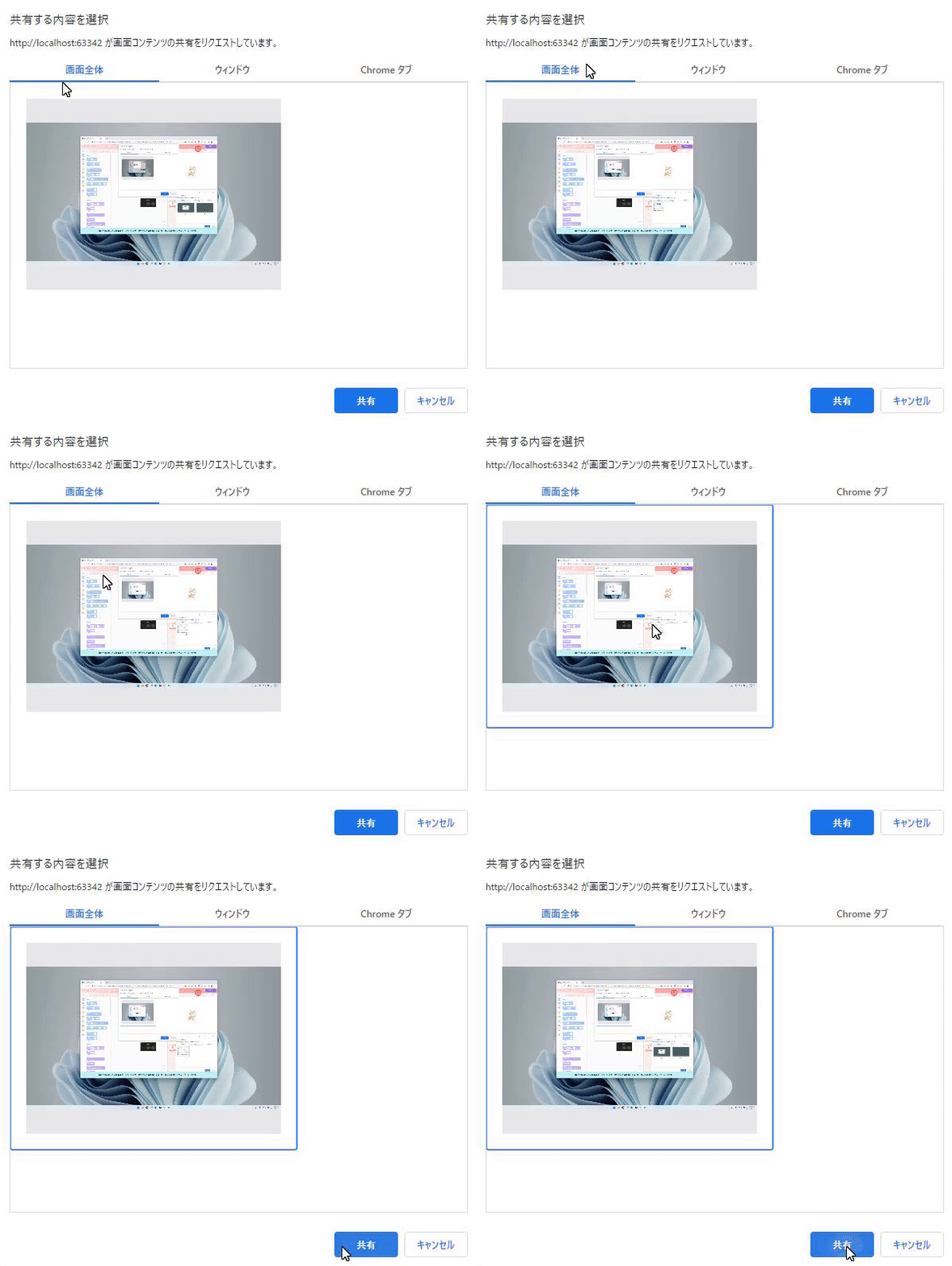
「画面全体」から画面をクリックして青色の「共有」ボタンを押してください。
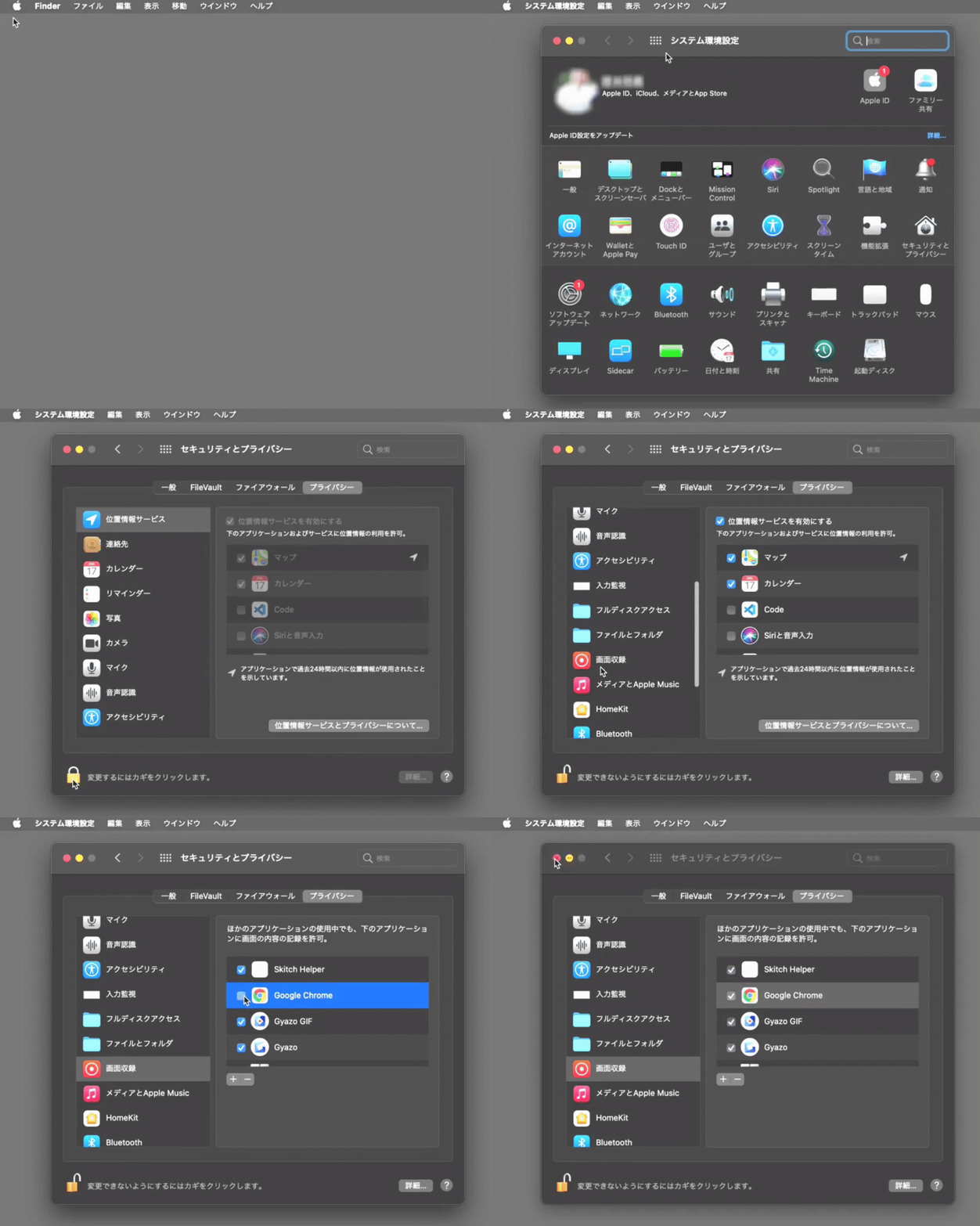
Screen sharing has failed, if you are using a Mac, please check here and try accessing this page again.
If the problem persists, please contact us via chat. We will be happy to assist you.